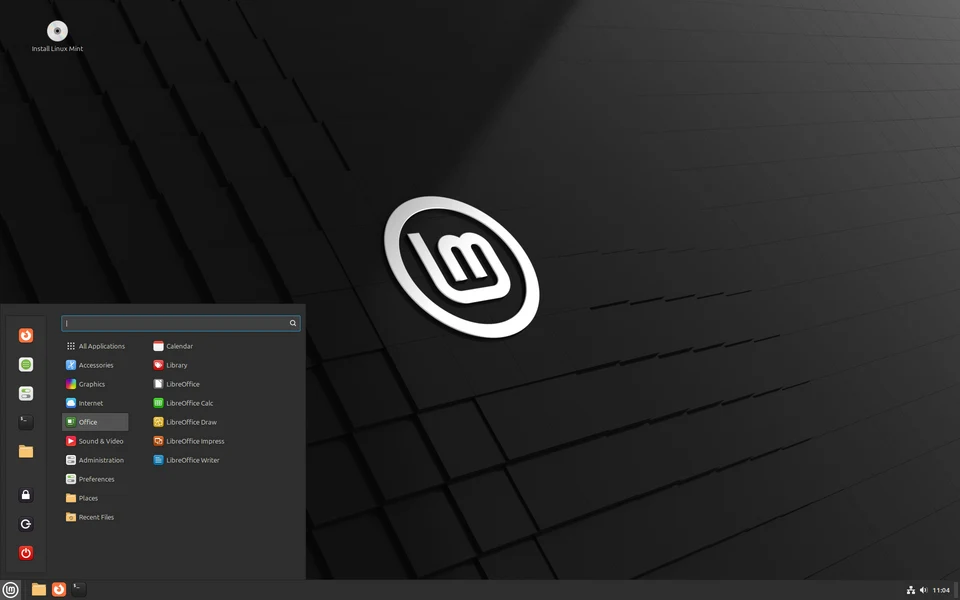
Linux Mint is one of the most popular and user-friendly distributions of the Linux operating system. It is designed to be easy to use, visually appealing, and highly reliable. It is an excellent choice for beginners—especially those transitioning from Windows or macOS—as well as power users who want a stable, “it just works” environment.
Here is a breakdown of what makes Linux Mint unique:
1. Philosophy: “From freedom came elegance”
Linux Mint is built on top of Ubuntu (and sometimes Debian), which means it has access to a massive library of software and community support. However, its core philosophy is to provide a complete, out-of-the-box experience. Unlike some Linux distributions that require a lot of setup, Mint comes pre-installed with most of the tools you need for daily tasks.
2. Key Desktop Environments (Editions)
Linux Mint is famous for offering three distinct “flavors” (desktop environments), allowing you to choose the look and feel that suits your workflow:
- Cinnamon (The Flagship): This is the most popular edition. It provides a traditional desktop experience (similar to Windows) with a taskbar, menu, and system tray. It is elegant, customizable, and polished.
- MATE: A lighter, faster, and more traditional desktop environment. It is ideal for older hardware or users who prefer a classic, retro interface.
- XFCE: The “lightest” edition. It is incredibly fast and consumes very few system resources, making it perfect for reviving old computers or netbooks.
3. Why People Choose Linux Mint
- Windows-like Interface: If you are coming from Windows, you will feel at home immediately. The menu layout, taskbar, and file manager (Nemo) are very intuitive.
- “Works Out of the Box”: Mint makes it easy to install proprietary drivers (like NVIDIA graphics) and multimedia codecs (for playing MP4, MP3, etc.) with just a few clicks.
- Update Manager: Mint has one of the best update managers in the Linux world. It provides clear, safe, and stable updates, allowing you to choose what to update and when.
- Software Manager: The app store is very easy to navigate, with a large selection of curated software that is simple to install.
- Stability: Because it is based on the Ubuntu Long Term Support (LTS) releases, it is rock-solid and does not require frequent, risky OS upgrades.
4. Who is it for?
- Windows Migrators: If you are tired of Windows updates, forced telemetry, or the hardware requirements of Windows 11, Mint is the easiest path forward.
- Privacy Seekers: Linux Mint does not track your data, nor does it contain advertisements.
- Developers and Students: It is a professional-grade OS that handles programming tools, web browsing, and office work (LibreOffice) perfectly.
- Older Hardware Users: Because of its lightweight nature, Linux Mint can make a 10-year-old laptop feel fast and modern again.
5. Getting Started
If you want to try it out, you don’t even have to install it on your hard drive yet:
- Download: Go to linuxmint.com.
- Create a Bootable USB: Use a tool like BalenaEtcher to flash the Mint ISO file onto a USB drive.
- Live Environment: Boot your computer from the USB drive. You can test-drive the entire operating system in a “Live” mode without changing anything on your computer. If you like it, you can click the “Install Linux Mint” icon on the desktop to install it permanently.
Is there anything specific you’d like to know? (e.g., how to install it, how it compares to Windows, or what apps it uses?)