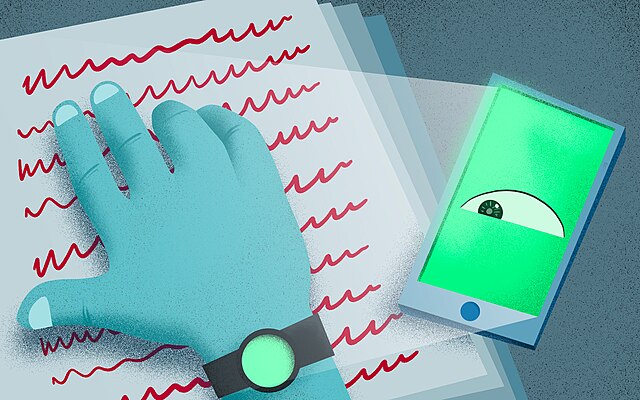
Spyware is a type of malicious software (malware) designed to secretly gather information about a person or organization and relay it to another entity without their knowledge. It’s a serious threat to your privacy and security. Here’s a comprehensive breakdown:
1. What is Spyware?
- Secret Surveillance: The core function of spyware is to monitor your activity without your consent. Think of it as a hidden camera and microphone on your computer or phone.
- Data Theft: It steals sensitive information like:
- Login Credentials: Usernames, passwords for websites, email, banking, etc.
- Financial Information: Credit card numbers, bank account details.
- Personal Information: Address, phone number, social security number, date of birth.
- Browsing History: Websites visited, searches made.
- Keystrokes: Everything you type (keylogging).
- Emails & Messages: Content of your communications.
- Screenshots: Captures what’s on your screen.
- Webcam & Microphone Access: Can activate your webcam and microphone to record you.
- Variety of Forms: Spyware isn’t a single program. It comes in many forms, including:
- Trojans: Disguised as legitimate software.
- Adware: Often bundled with free software; while not always malicious, it can track your browsing habits and display intrusive ads. Some adware is spyware.
- Keyloggers: Record every keystroke you make.
- Rootkits: Hide the spyware’s presence, making it difficult to detect.
- Browser Hijackers: Change your browser settings (homepage, search engine) and redirect you to malicious websites.
- System Monitors: Track overall system activity.
2. How Does Spyware Get on Your Device?
- Bundled Software: The most common method. When you download free software (especially from unofficial sources), it often comes bundled with spyware. You might click “Next” through installation screens without reading the fine print.
- Drive-by Downloads: Visiting compromised websites can automatically download spyware to your device.
- Phishing Emails: Clicking on malicious links or opening infected attachments in phishing emails.
- Malicious Advertisements (Malvertising): Ads on legitimate websites can be compromised and deliver spyware.
- Software Vulnerabilities: Exploiting security flaws in your operating system or software.
- Physical Access: Someone with physical access to your device could install spyware directly. (Less common for average users, but a concern for high-profile targets).
- Fake Software Updates: Pop-up windows offering fake software updates that actually install spyware.
3. Signs of a Spyware Infection
- Slow Computer Performance: Spyware consumes system resources.
- Frequent Pop-up Ads: Especially if they appear even when you’re not browsing the web.
- Browser Changes: Homepage or search engine changes without your permission.
- Unusual Browser Activity: Redirects to unfamiliar websites.
- Increased Internet Usage: Spyware sends data in the background.
- New Toolbars or Extensions: Added to your browser without your knowledge.
- Unexpected Error Messages: Frequent crashes or errors.
- Webcam/Microphone Activation: The light on your webcam turns on unexpectedly.
- Changes to System Settings: Unexplained changes to your computer’s configuration.
- Antivirus Software Disabled: Some spyware tries to disable your security software.
4. How to Protect Yourself from Spyware
- Install and Maintain Antivirus/Anti-Malware Software: A reputable security suite is essential. Keep it updated! Good options include:
- Bitdefender
- Norton
- McAfee
- Malwarebytes (Excellent for on-demand scans and removal)
- Kaspersky
- Be Careful What You Download:
- Download from Official Sources: Only download software from the official websites of the developers.
- Read Installation Agreements: Pay attention to what you’re agreeing to install. Uncheck boxes for bundled software.
- Use a Download Manager: Some download managers can help identify potentially unwanted programs.
- Keep Your Software Updated: Regularly update your operating system, browser, and other software to patch security vulnerabilities.
- Use a Firewall: A firewall helps block unauthorized access to your computer. Most operating systems have built-in firewalls.
- Be Wary of Emails and Links:
- Don’t Click on Suspicious Links: Especially in emails from unknown senders.
- Don’t Open Suspicious Attachments: Even if the email appears to be from someone you know.
- Use Strong Passwords: And use a different password for each account. Consider a password manager.
- Enable Two-Factor Authentication (2FA): Adds an extra layer of security to your accounts.
- Use a Pop-up Blocker: Helps prevent malicious ads from downloading spyware.
- Browse Safely:
- Avoid Suspicious Websites: Be cautious about visiting websites with a bad reputation.
- Look for “HTTPS”: Ensure websites use HTTPS (the “s” indicates a secure connection).
- Regularly Scan Your Computer: Run full system scans with your antivirus/anti-malware software.
- Use a VPN (Virtual Private Network): Encrypts your internet traffic and can help protect your privacy.
5. Removing Spyware
- Run a Full System Scan: Use your antivirus/anti-malware software.
- Use a Dedicated Spyware Removal Tool: Malwarebytes is highly recommended for this.
- Boot into Safe Mode: This can help prevent the spyware from running and make it easier to remove.
- Reset Your Browser: Reset your browser to its default settings.
- Consider a System Restore: If you have a recent system restore point, you can restore your computer to a previous state. (Be aware this will undo changes made after the restore point).
- Reinstall Your Operating System (Last Resort): If all else fails, reinstalling your operating system will remove all software, including spyware. Back up your important data first!
Resources
- Malwarebytes: https://www.malwarebytes.com/
- StopSpyware.com: https://www.stopspyware.com/
- Federal Trade Commission (FTC) – Spyware: https://www.ftc.gov/terms/spyware-malware
Important Note: Spyware is constantly evolving. Staying informed about the latest threats and practicing good online security habits are crucial for protecting yourself.
Do you have any specific questions about spyware that you’d like me to answer? For example, are you concerned about a particular type of spyware, or are you wondering how to remove it from a specific device?