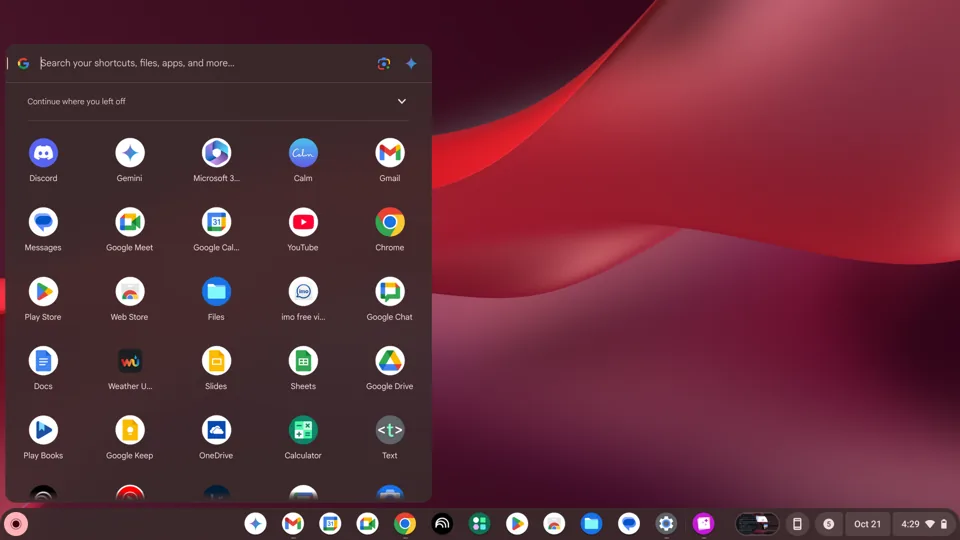
ChromeOS is a lightweight, cloud-centric operating system developed by Google. Unlike Windows or macOS, which are designed to run complex local software, ChromeOS is built primarily around the Google Chrome web browser.
Here is a breakdown of what you need to know about ChromeOS:
1. Core Philosophy: “Cloud-First”
The fundamental idea behind ChromeOS is that the web browser is the only tool you need. Most of your files, apps, and settings are stored in the cloud (Google Drive). This makes the system:
- Fast: Because the OS is so light, Chromebooks typically boot up in seconds.
- Secure: It uses “sandboxing.” If one tab or app is infected with malware, it cannot spread to the rest of the system.
- Simple: It updates automatically in the background, so you never have to deal with manual OS updates or “Patch Tuesdays.”
2. How it Runs Software
While it started as just a browser, ChromeOS has evolved significantly over the years to run more than just web pages:
- Progressive Web Apps (PWAs): Websites that function like installed apps (e.g., Spotify, Twitter/X, Canva).
- Android Apps: Almost all modern Chromebooks can access the Google Play Store, allowing you to run mobile apps for productivity, gaming, and social media.
- Linux (Crostini): ChromeOS has a built-in virtual machine that allows developers to run Linux-based apps (like VS Code, GIMP, or Audacity).
- Desktop Virtualization: For enterprise and education users, ChromeOS can stream full Windows desktops via Citrix or VMware.
3. Pros of ChromeOS
- Price: Chromebooks are generally much cheaper than Windows laptops or MacBooks.
- Battery Life: Because the OS is not resource-heavy, even budget Chromebooks often last all day on a single charge.
- Security: It is arguably the most secure consumer operating system. Ransomware and traditional viruses are virtually non-existent on ChromeOS.
- Family/School Management: Google’s “Family Link” and enterprise management consoles make it easy to control screen time, block sites, and manage dozens of devices remotely.
4. Cons of ChromeOS
- Limited Offline Functionality: While Google Docs and some apps work offline, the OS loses a significant amount of its “magic” without an internet connection.
- Specialized Software: If you need professional Windows/Mac software—like full versions of Adobe Creative Cloud (Premiere, After Effects), specialized engineering CAD software, or deep gaming libraries—ChromeOS will not work for you.
- Gaming: While cloud gaming (GeForce Now, Xbox Cloud) is excellent on ChromeOS, you cannot natively install high-end PC games (like Call of Duty or Cyberpunk 2077).
5. Who is it for?
- Students: It is the dominant OS in the K-12 education market because it is durable, cheap, and easy to manage.
- General Consumers: People who spend 90% of their time on the web (email, YouTube, Netflix, social media, online banking, Google Docs).
- The Elderly/Technologically Unsavvy: Because you can’t “break” the OS by downloading sketchy files or misconfiguring system settings, it is ideal for people who just want a computer that “just works.”
How to get it
You generally cannot “buy” ChromeOS to install on your old laptop (though you can use ChromeOS Flex, a version designed by Google to breathe new life into old PCs and Macs). Instead, ChromeOS comes pre-installed on devices called Chromebooks, made by manufacturers like ASUS, HP, Lenovo, Acer, and Google itself (the Pixelbook line).
Are you considering buying a Chromebook, or are you looking for technical details on how it functions?