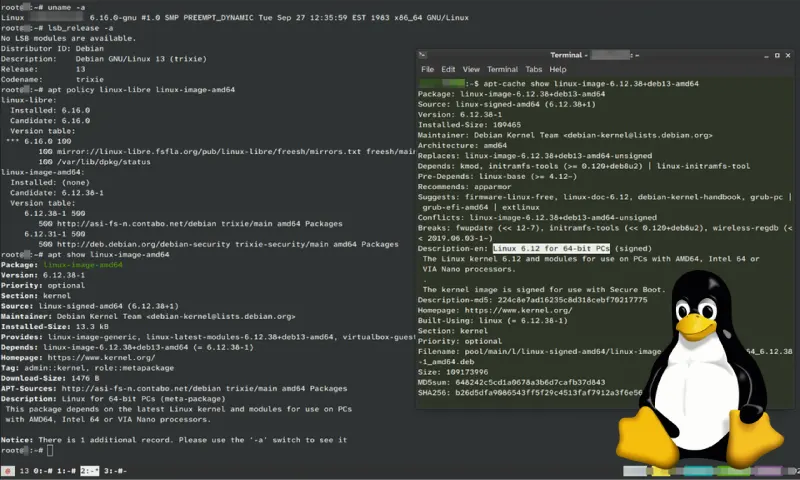
Linux is a massive topic! Here’s a breakdown, covering its history, core components, different flavors, uses, advantages, disadvantages, and where to learn more. I’ll try to be comprehensive, but feel free to ask for more detail on any specific aspect.
1. What is Linux? (It’s Complicated!)
This is the first hurdle. People often use “Linux” to mean different things:
- The Kernel: This is the core of the operating system. Linus Torvalds created it in 1991 as a free and open-source alternative to MINIX. The kernel manages the system’s resources (CPU, memory, devices). It’s the foundation.
- The Operating System: More accurately, it’s a Linux distribution (or “distro”). This combines the Linux kernel with other software – tools, libraries, desktop environments, applications – to create a complete, usable operating system. Think of the kernel as the engine, and the distro as the entire car.
- The Ecosystem: The broader community, development model, and philosophy surrounding the kernel and its distributions.
2. A Brief History
- Early Days (1991-1994): Linus Torvalds, a Finnish student, started the project as a hobby. Early versions were very basic.
- GNU Project’s Role: The GNU project (started by Richard Stallman) had been working on a free operating system for years, but lacked a kernel. Linux filled that gap. This collaboration is why you often see “GNU/Linux” used to acknowledge the GNU project’s significant contribution.
- Growth & Popularity (1990s – 2000s): Linux gained traction among developers and enthusiasts. Distributions like Red Hat, Debian, and Slackware emerged.
- Modern Era (2000s – Present): Linux has become dominant in servers, embedded systems, and supercomputers. It’s also made significant inroads into desktops and mobile (Android is based on the Linux kernel).
3. Key Components of a Linux System
- Kernel: As mentioned, the core.
- Shell: A command-line interpreter. Allows you to interact with the kernel. Popular shells include Bash, Zsh, and Fish.
- System Libraries: Provide functions that applications use to interact with the kernel.
- System Utilities: Tools for managing the system (e.g., file management, process control, networking).
- Desktop Environment (Optional): Provides a graphical user interface (GUI). Examples: GNOME, KDE Plasma, XFCE, Cinnamon. Not all Linux systems have a GUI (servers often don’t).
- Display Server (e.g., X11, Wayland): Manages the display and input devices.
4. Popular Linux Distributions (Distros)
This is where things get diverse! Here are some prominent ones, categorized:
- Beginner-Friendly:
- Intermediate/Advanced:
- Debian: Stable, reliable, and a foundation for many other distros (including Ubuntu).
- Fedora: Cutting-edge, sponsored by Red Hat, often features the latest software.
- Manjaro: Based on Arch Linux, but easier to install and manage.
- Advanced/Highly Customizable:
- Arch Linux: Minimalist, highly customizable, requires more technical knowledge. “Rolling release” – always up-to-date.
- Gentoo: Source-based distribution – you compile everything yourself. Extremely flexible, but complex.
- Specialized:
- Kali Linux: Penetration testing and security auditing.
- Raspberry Pi OS (formerly Raspbian): Optimized for the Raspberry Pi.
- CentOS Stream / Rocky Linux / AlmaLinux: Server-focused, often used for web hosting and other server applications (replacements for the original CentOS).
5. Where is Linux Used?
- Servers: Dominates the server market (web servers, database servers, cloud infrastructure).
- Embedded Systems: Used in routers, smart TVs, car infotainment systems, and many other devices.
- Supercomputers: Nearly all of the world’s top supercomputers run Linux.
- Mobile Devices: Android is based on the Linux kernel.
- Desktops: Growing in popularity, especially among developers and power users.
- Cloud Computing: Major cloud providers (AWS, Azure, Google Cloud) heavily rely on Linux.
- Scientific Computing: Used extensively in research and data analysis.
6. Advantages of Linux
- Open Source: Free to use, distribute, and modify.
- Security: Generally considered very secure due to its open-source nature (many eyes reviewing the code) and permission system.
- Stability: Known for its reliability and uptime.
- Flexibility: Highly customizable and adaptable to different needs.
- Cost-Effective: Often free of licensing fees.
- Large Community: Extensive support and resources available.
- Performance: Can be optimized for specific hardware.
- Privacy: Generally respects user privacy more than some other operating systems.
7. Disadvantages of Linux
- Learning Curve: Can be challenging for beginners, especially the command line.
- Hardware Compatibility: While improving, some hardware may not be fully supported.
- Software Availability: Some proprietary software may not be available for Linux. (Though Wine and virtualization can help.)
- Fragmentation: The large number of distributions can be confusing.
- Gaming (Historically): Gaming on Linux has improved dramatically with Proton/Steam Play, but still lags behind Windows in some areas.
8. Learning Resources
- Distro Websites: Ubuntu.com, FedoraProject.org, ArchLinux.org, etc.
- Online Courses:
- edX: Offers Linux courses from various universities.
- Coursera: Similar to edX.
- Udemy: Many affordable Linux courses.
- Linux Foundation Training: Official training from the Linux Foundation.
- Documentation:
- The Linux Documentation Project (TLDP): Comprehensive documentation.
- Man Pages: Built-in documentation accessible from the command line (
man <command>).
- Communities:
- Reddit: r/linux, r/linuxquestions
- Stack Exchange: Unix & Linux Stack Exchange
- Linux Forums: Numerous forums dedicated to specific distributions.
To help me tailor the information to your needs, could you tell me
- What are you hoping to do with Linux? (e.g., learn to program, set up a server, use it as a desktop OS, etc.)
- What is your level of technical experience? (e.g., beginner, intermediate, advanced)
- Are you interested in a specific distribution?
I hope this overview is helpful! Let me know if you have any specific questions.