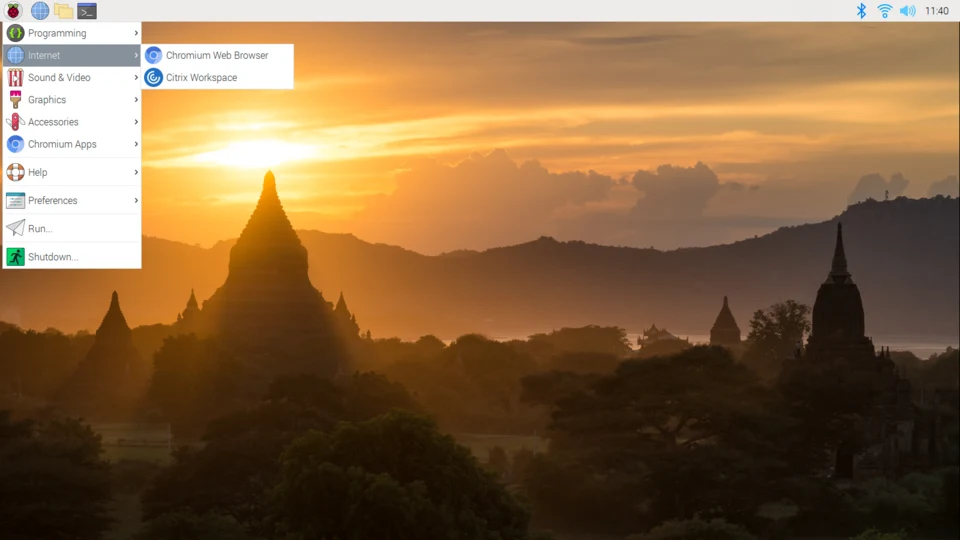
The Raspberry Pi ecosystem supports a wide range of operating systems, categorized by their primary use cases. Here are the major operating systems available:
1. Official Operating System
- Raspberry Pi OS (formerly Raspbian): This is the official OS maintained by the Raspberry Pi Foundation. It is a Debian-based Linux distribution optimized specifically for Raspberry Pi hardware. It comes in three versions:
- Desktop: Full GUI with recommended software.
- Desktop Lite: Minimal GUI without pre-installed apps.
- Lite: Command-line interface only (best for headless servers).
2. General Purpose / Desktop Alternatives
If you want your Raspberry Pi to feel more like a traditional PC or a different Linux experience:
- Ubuntu Desktop/Server: Fully supported by Canonical. Ubuntu is often preferred by developers who want a standard Linux environment that matches what they use on their main workstations.
- Manjaro ARM: An Arch Linux-based distribution. It offers a rolling-release model, meaning you get the latest software versions immediately. It is popular for its speed and access to the Arch User Repository (AUR).
- Debian (ARM64): For users who want a “pure” Debian experience without the Raspberry Pi-specific customizations found in Raspberry Pi OS.
3. Media Centers
Turn your Raspberry Pi into a dedicated home theater system:
- LibreELEC: A lightweight “Just enough OS” designed specifically to run Kodi, the popular open-source media center software.
- OSMC (Open Source Media Center): Another Kodi-based distribution, known for having a very polished, user-friendly interface.
4. Retro Gaming
These operating systems turn the Pi into a console that emulates classic gaming systems:
- RetroPie: The most famous and widely supported retro-gaming suite. It sits on top of Debian and uses EmulationStation.
- Recalbox: A more “all-in-one” experience that is easier for beginners to set up compared to RetroPie.
- Batocera.linux: A dedicated retro-gaming operating system that runs from a USB stick or SD card; it is highly optimized for performance and ease of use.
5. Servers and Networking
- DietPi: An extremely lightweight, highly optimized Debian-based OS. It is famous for its “DietPi-Software” script, which allows you to install complex server stacks (like Nextcloud, Plex, or Pi-hole) with a single click.
- OpenMediaVault (OMV): Turns the Raspberry Pi into a NAS (Network Attached Storage) device.
- Home Assistant OS: The gold standard for home automation. It turns your Pi into a central hub to control smart lights, sensors, and appliances.
6. Specialized / Security
- Kali Linux: A distribution designed for penetration testing and cybersecurity research. It includes hundreds of tools for network auditing and security analysis.
- Windows 11/10 ARM: While not officially supported by Microsoft for the Raspberry Pi, it is possible to run Windows on ARM via third-party installers (like the “Windows on Raspberry Pi” project). Note: Performance is generally poor and drivers are limited.
How to install these easily:
The best way to try these operating systems is via the Raspberry Pi Imager.
It is an official tool that you download to your PC or Mac. It allows you to select your Raspberry Pi model and your desired OS from a menu, then automatically downloads and writes the image to your SD card. It handles all the technical configuration (like Wi-Fi settings and user accounts) before you even insert the card into your Pi.