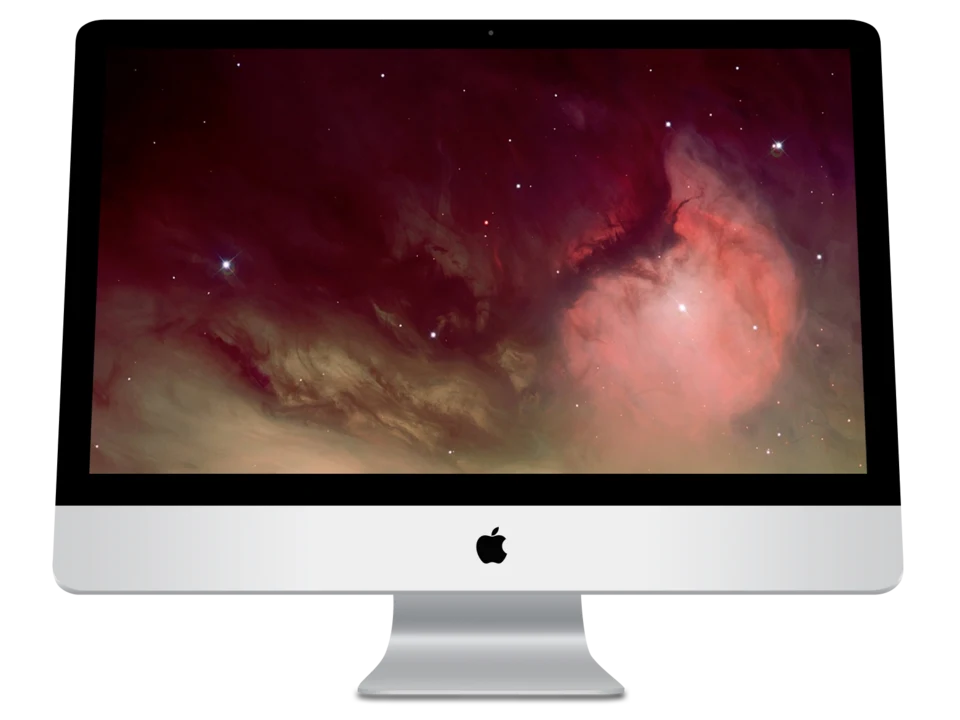
Mac computers, formerly known as Macintosh, are a line of all-in-one computers designed, developed, and marketed by Apple Inc. They’ve been a significant force in the personal computer world since their introduction in 1984, known for their user-friendly interface, design aesthetic, and integration with the Apple ecosystem. Here’s a breakdown covering their history, current models, key features, pros & cons, and more:
1. History & Evolution
- 1984 – Macintosh 128K: The original Macintosh revolutionized computing with its graphical user interface (GUI) and mouse, making computers accessible to a wider audience.
- Late 80s/90s: Evolution through models like the Macintosh Plus, SE, and LC, introducing color displays and improved processing power. A period of market share struggles against the dominance of IBM PC compatibles.
- 1998 – iMac G3: A pivotal moment. The Bondi Blue iMac revitalized Apple with its all-in-one design and vibrant colors. It signaled a shift towards design-focused computing.
- 2006 – Intel Transition: Apple switched from PowerPC processors to Intel processors, significantly boosting performance and compatibility.
- 2020 – Apple Silicon Transition: A groundbreaking move. Apple began transitioning to its own custom-designed ARM-based processors (M1, M2, M3 series), offering significant performance and efficiency gains. This is arguably the biggest shift since the Intel transition.
2. Current Mac Models (as of late 2023/early 2024)
- MacBook Air: Apple’s ultraportable laptop. Known for its thin and light design, excellent battery life, and fanless operation (on some models). Ideal for everyday tasks, students, and travel. Available in 13-inch and 15-inch sizes. Powered by M-series chips.
- MacBook Pro: Apple’s professional-grade laptop. Offers more power and features than the MacBook Air. Available in 14-inch and 16-inch sizes. Features a brighter display, more ports, and a more robust cooling system. Designed for demanding tasks like video editing, graphic design, and software development. Powered by M-series Pro and Max chips.
- iMac: Apple’s all-in-one desktop computer. Combines the computer and display into a single unit. Known for its sleek design and ease of use. Available in 24-inch sizes. Powered by M-series chips.
- Mac mini: Apple’s most affordable desktop computer. A compact and powerful machine that requires a separate monitor, keyboard, and mouse. Ideal for users who already have peripherals or want a customizable setup. Powered by M-series chips.
- Mac Studio: A high-performance desktop computer designed for professionals. Offers even more power than the Mac mini, with options for powerful GPUs. Ideal for demanding tasks like 3D rendering, machine learning, and video editing. Powered by M-series Max and Ultra chips.
- Mac Pro: Apple’s most powerful and expandable desktop computer. Designed for the most demanding professional workflows. Offers a modular design that allows users to customize the components to their specific needs. Powered by M-series Ultra chips.
3. Key Features & Technologies
- macOS: Apple’s operating system, known for its user-friendly interface, stability, and security. Regularly updated with new features and improvements.
- Apple Silicon: Apple’s custom-designed ARM-based processors (M1, M2, M3 series) deliver exceptional performance and power efficiency.
- Integration with Apple Ecosystem: Seamlessly integrates with other Apple devices like iPhones, iPads, and Apple Watches. Features like Handoff, AirDrop, and Universal Control enhance productivity and convenience.
- Retina Display: High-resolution displays that deliver sharp, vibrant images.
- Touch Bar (discontinued on newer models): A touch-sensitive strip above the keyboard that provides contextual controls. (Removed from newer MacBook Pro models)
- Force Touch Trackpad: A trackpad that responds to different levels of pressure, enabling features like Force Click and haptic feedback.
- Security: macOS is known for its robust security features, including built-in malware protection and regular security updates.
- Accessibility Features: macOS offers a wide range of accessibility features to help users with disabilities.
4. Pros of Mac Computers
- User-Friendly Interface: macOS is generally considered easier to learn and use than Windows.
- Reliability & Stability: Macs are known for their reliability and stability.
- Security: macOS is less susceptible to malware and viruses than Windows.
- Design & Build Quality: Macs are known for their sleek design and high-quality construction.
- Performance (especially with Apple Silicon): Apple Silicon chips offer excellent performance and power efficiency.
- Ecosystem Integration: Seamless integration with other Apple devices.
- Resale Value: Macs typically hold their value better than Windows PCs.
- Excellent Customer Support: Apple provides excellent customer support.
5. Cons of Mac Computers
- Price: Macs are generally more expensive than comparable Windows PCs.
- Limited Customization: Macs offer less customization options than Windows PCs. Upgradability is often limited, especially with Apple Silicon models.
- Gaming: While improving, gaming on Macs is still limited compared to Windows PCs. Fewer game titles are available.
- Software Compatibility: Some Windows-specific software may not be available for macOS. (Though virtualization and emulation options exist).
- Repair Costs: Repairs can be expensive, especially if you don’t have AppleCare+.
6. Who are Macs for?
- Creative Professionals: Video editors, graphic designers, musicians, and photographers often prefer Macs for their performance, reliability, and software compatibility.
- Students: MacBook Air is a popular choice for students due to its portability, battery life, and ease of use.
- General Users: Macs are a good choice for anyone who wants a reliable, user-friendly computer for everyday tasks.
- Apple Ecosystem Users: If you already own other Apple devices, a Mac will seamlessly integrate into your ecosystem.
Resources for more information
- Apple’s Official Website: https://www.apple.com/mac/
- MacRumors: https://www.macrumors.com/ (News and rumors about Apple products)
- 9to5Mac: https://9to5mac.com/ (Apple news and reviews)
This is a broad overview. The best Mac for you depends on your specific needs and budget. Consider what you’ll be using the computer for, how much portability you need, and how much you’re willing to spend.