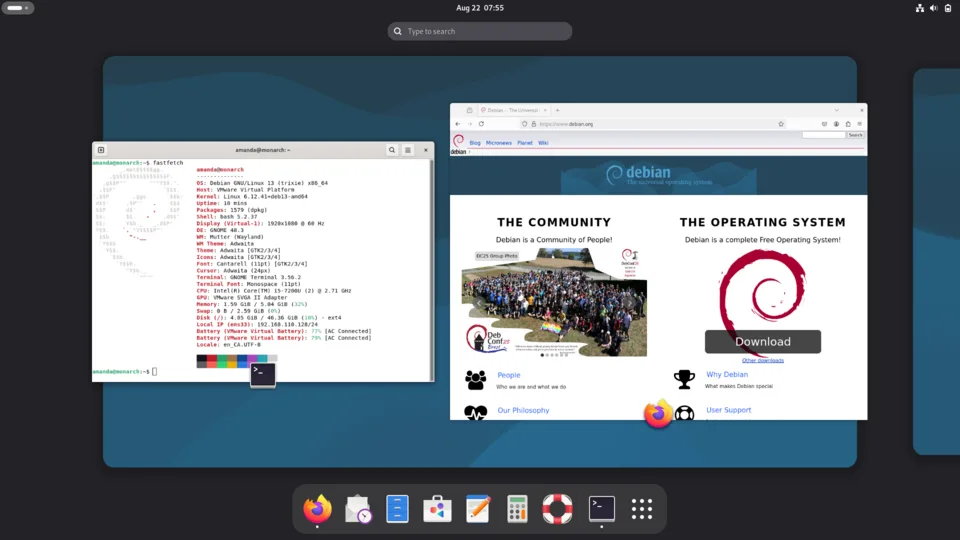
Debian is one of the oldest and most respected Linux distributions. It’s known for its commitment to free software, stability, and a vast package repository. Here’s a comprehensive overview, covering its history, philosophy, features, uses, and more:
1. History & Philosophy
- Founded: 1993 by Ian Murdock.
- Name: Derived from Ian Murdock’s first name and his then-girlfriend, Debra Lynn.
- Core Principles (The Debian Social Contract):
- Free Software: Debian is committed to being 100% free software. This means users have the freedom to run, study, distribute, and modify the software.
- Development Transparency: The development process is open and public.
- User Support: A strong community provides support through mailing lists, forums, and documentation.
- Commitment to Standards: Adherence to open standards is a priority.
- Community-Driven: Debian is developed and maintained by a large, global community of volunteers. There’s no single company controlling its direction.
- Debian Project Leader (DPL): Elected annually by Debian Developers.
2. Key Features
- Stability: Debian is renowned for its stability. This is achieved through rigorous testing and a focus on well-established software packages. This makes it ideal for servers and critical systems.
- Vast Package Repository: Debian boasts one of the largest software repositories available, containing over 59,000 packages (as of late 2023). This means you can find software for almost any task.
- APT Package Management: The Advanced Package Tool (APT) is a powerful and user-friendly package management system. It handles installing, updating, and removing software, as well as resolving dependencies.
- Multiple Architectures: Debian supports a wide range of computer architectures, including:
- x86 (32-bit)
- amd64 (64-bit) – most common for desktops and servers
- ARM (used in embedded systems, Raspberry Pi, etc.)
- PowerPC
- and more!
- Multiple Desktop Environments: You can choose from various desktop environments during installation, including:
- GNOME (default)
- KDE Plasma
- Xfce (lightweight)
- LXDE/LXQt (very lightweight)
- Cinnamon
- MATE
- and others.
- Debian Derivatives: Many other popular Linux distributions are based on Debian, including:
- Ubuntu: The most well-known derivative, focusing on ease of use.
- Linux Mint Debian Edition (LMDE): A more conservative derivative, closely tied to Debian’s testing branch.
- Kali Linux: A distribution focused on penetration testing and digital forensics.
- Raspbian/Raspberry Pi OS: The official operating system for the Raspberry Pi.
- Pop!_OS
- and many more.
3. Releases & Branches
Debian uses a unique release cycle with three main branches:
- Stable: The most thoroughly tested branch, providing the highest level of stability. Packages are generally older versions but are very reliable. Recommended for production servers and users who prioritize stability. Released approximately every 2 years. (Current Stable: Debian 12 “Bookworm”)
- Testing: A staging area for packages before they move to the Stable branch. It’s more up-to-date than Stable but may contain bugs. Suitable for users who want newer software but still want a relatively stable system.
- Unstable (Sid): The bleeding edge of Debian development. Packages are constantly updated, but it’s the least stable branch. Primarily used by developers and experienced users.
4. Uses & Applications
- Servers: Debian is a popular choice for web servers, database servers, file servers, and other server applications due to its stability and security.
- Desktops: With various desktop environments available, Debian can be used as a powerful and customizable desktop operating system.
- Development: Debian provides a robust environment for software development, with a wide range of tools and libraries.
- Embedded Systems: Debian’s support for ARM architecture makes it suitable for embedded systems and IoT devices.
- Cloud Computing: Debian is often used as a base image for cloud instances.
- Scientific Computing: Its stability and package availability make it useful for scientific applications.
5. Getting Started
- Download: You can download Debian from the official website: https://www.debian.org/distrib/
- Installation: The installation process is relatively straightforward, with a text-based installer and graphical installers available.
- Documentation: Debian has excellent documentation: https://www.debian.org/doc/
- Community Support:
- Debian Mailing Lists: https://lists.debian.org/
- Debian Forums: https://forums.debian.net/
- IRC Channels: Available on various IRC networks.
6. Advantages of Debian
- Stability and Reliability: A cornerstone of its reputation.
- Security: Regular security updates and a strong security focus.
- Freedom: Commitment to free software principles.
- Customization: Highly customizable to suit your needs.
- Large Community: Extensive support and resources.
- Vast Software Repository: Access to a huge range of software.
7. Disadvantages of Debian
- Release Cycle: The Stable branch can have older software versions.
- Steeper Learning Curve: Compared to some more user-friendly distributions like Ubuntu, Debian can be more challenging for beginners.
- Installation (Historically): While improving, the installer can sometimes be less intuitive than others.
In conclusion
Debian is a powerful, versatile, and highly respected Linux distribution. Its commitment to free software, stability, and a strong community make it a popular choice for a wide range of users and applications.
Do you have any specific questions about Debian that you’d like me to answer? For example, are you interested in:
- Comparing Debian to Ubuntu?
- Learning how to install Debian?
- Finding specific software packages?
- Understanding the Debian package management system (APT)?
- Debian on a Raspberry Pi?