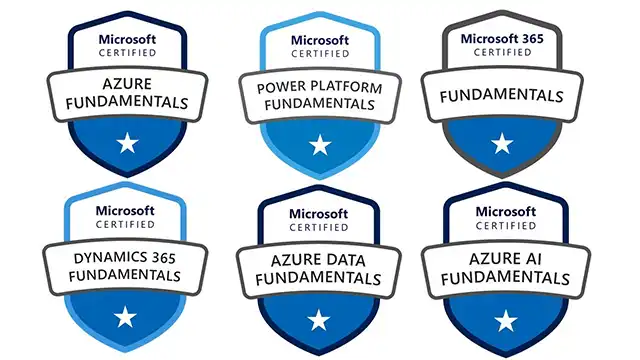
Microsoft Certifications are industry-recognized credentials that validate your skills and expertise in Microsoft technologies. They’re valuable for career advancement, demonstrating competence to employers, and staying current in the rapidly evolving tech landscape. Here’s a breakdown, covering everything from why they matter to the current certification landscape:
1. Why Get Microsoft Certified?
- Career Advancement: Certifications can open doors to new job opportunities and promotions. Many employers specifically require or prefer candidates with relevant Microsoft certifications.
- Increased Earning Potential: Certified professionals often command higher salaries.
- Skill Validation: They prove to employers (and yourself!) that you possess the necessary skills to perform specific roles.
- Industry Recognition: Microsoft certifications are globally recognized and respected.
- Staying Current: The tech world changes quickly. Certifications require ongoing learning, keeping your skills up-to-date.
- Confidence Boost: Achieving a certification builds confidence in your abilities.
2. The Current Microsoft Certification Landscape (as of late 2024)
Microsoft has undergone significant changes to its certification program in recent years. They’ve moved away from numerous individual product certifications towards role-based certifications. Here’s a breakdown of the main certification paths:
A. Azure Certifications (Most Popular & In-Demand)
These focus on Microsoft’s cloud platform, Azure. They are highly sought after.
- Azure Fundamentals (AZ-900): A great starting point for anyone new to cloud concepts and Azure. No prior experience required.
- Azure Administrator Associate (AZ-104): For those responsible for implementing, managing, and monitoring an organization’s Microsoft Azure environment. A core certification for Azure admins.
- Azure Solutions Architect Expert (AZ-305): For experienced professionals who design cloud solutions that meet business needs. Requires the Azure Administrator Associate.
- Azure DevOps Engineer Expert (AZ-400): Focuses on implementing DevOps practices in Azure. Requires the Azure Administrator Associate.
- Azure Security Engineer Associate (AZ-500): For those responsible for securing Azure environments. Requires the Azure Administrator Associate.
- Azure Data Engineer Associate (DP-203): Focuses on designing and implementing data solutions on Azure.
- Azure AI Engineer Associate (AI-102): For professionals building AI solutions using Azure Cognitive Services and Machine Learning.
- Azure Data Scientist Associate (DP-100): Focuses on applying data science techniques to solve business problems using Azure.
- Azure Cosmos DB Developer Speciality (DP-300): Specialized certification for developers working with Azure Cosmos DB.
- Azure Synapse Analytics Solutions Architect Expert (DP-500): For architects designing and implementing data warehousing solutions on Azure Synapse Analytics.
B. Microsoft 365 Certifications
These cover the suite of productivity applications like Word, Excel, PowerPoint, Teams, SharePoint, and Exchange.
- Microsoft 365 Fundamentals (MS-500): A good starting point for understanding the core concepts of Microsoft 365.
- Microsoft 365 Certified: Modern Desktop Administrator Associate (MD-102): Focuses on deploying, configuring, securing, managing, and monitoring devices in a modern desktop environment.
- Microsoft 365 Certified: Teams Administrator Associate (MS-700): For those managing and administering Microsoft Teams.
- Microsoft 365 Certified: Security Administrator Associate (MS-500): Focuses on securing Microsoft 365 environments.
- Microsoft 365 Certified: Messaging Administrator Associate (MS-200): For managing and maintaining Exchange Online.
- Microsoft 365 Certified: SharePoint Administrator Associate (MS-300): For managing and administering SharePoint Online.
C. Power Platform Certifications
These focus on Microsoft’s low-code/no-code platform for building applications and automating processes.
- Power Platform Fundamentals (PL-900): An excellent introduction to the Power Platform.
- Power Platform Developer Associate (PL-400): For developers building custom solutions on the Power Platform.
- Power Platform Functional Consultant Associate (PL-200): For consultants who implement and customize Power Platform solutions.
- Power BI Data Analyst Associate (DA-100): Focuses on analyzing data and creating visualizations using Power BI.
D. Dynamics 365 Certifications
These cover Microsoft’s suite of business applications, including Sales, Customer Service, Marketing, and Finance. These are often role-specific.
- Dynamics 365 Sales Functional Consultant Associate (MB-320)
- Dynamics 365 Customer Service Functional Consultant Associate (MB-330)
- Dynamics 365 Marketing Functional Consultant Associate (MB-310)
- Dynamics 365 Finance and Operations Apps Developer Associate (MB-500)
3. How to Prepare for Microsoft Certifications
- Microsoft Learn: Microsoft’s official learning platform. It offers free online courses, learning paths, and hands-on labs. This is the best starting point. https://learn.microsoft.com/
- Official Microsoft Courses: Instructor-led training courses offered by Microsoft Learning Partners. These are typically more expensive but provide a structured learning experience.
- Practice Exams: MeasureUp and Whizlabs are popular providers of practice exams. These help you identify areas where you need to improve.
- Hands-on Experience: The most important part! Set up a free Azure account or use a Microsoft 365 trial to gain practical experience.
- Study Groups: Collaborate with others preparing for the same certification.
- Documentation: Refer to the official Microsoft documentation for detailed information about the technologies covered in the exam.
4. Cost of Certifications
- Fundamentals Certifications: Typically around $99 USD.
- Associate Certifications: Typically around $165 USD.
- Expert Certifications: Typically around $165 USD (requires passing prerequisite Associate certification).
Important Notes
- Retirement of Older Certifications: Microsoft regularly retires older certifications. Always check the official Microsoft website for the most up-to-date information.
- Renewal: Some certifications require periodic renewal to maintain their validity.
- Prerequisites: Many Expert-level certifications require passing a related Associate-level certification first.
Resources
- Microsoft Certification Dashboard: https://learn.microsoft.com/en-us/credentials/
- Microsoft Learn: https://learn.microsoft.com/
To help me tailor the information to your specific needs, could you tell me
- What is your current IT experience level? (Beginner, Intermediate, Experienced)
- What are your career goals? (e.g., Cloud Architect, Data Analyst, System Administrator)
- Are you interested in a specific Microsoft technology? (e.g., Azure, Microsoft 365, Power Platform)
I hope this comprehensive overview is helpful! Let me know if you have any other questions.