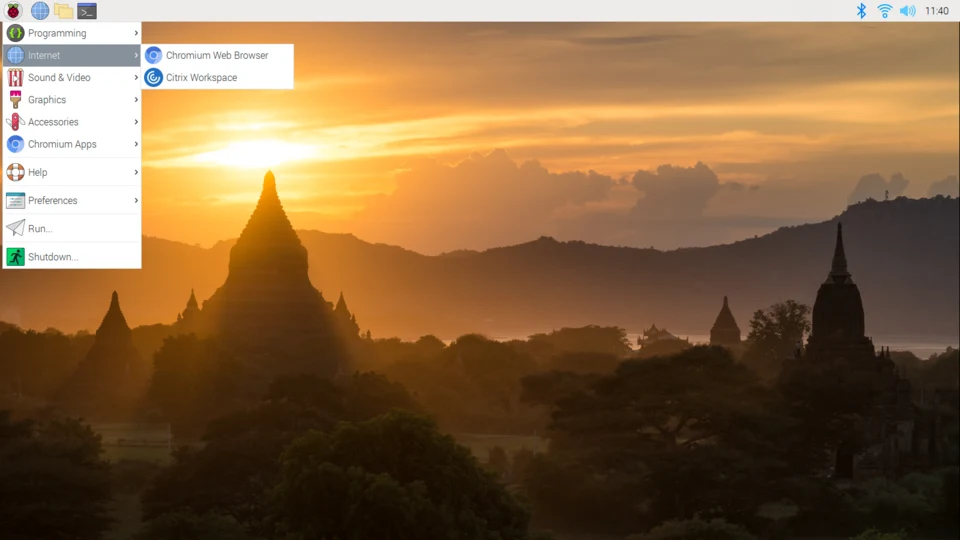
The Raspberry Pi, running a Linux-based operating system (most commonly Raspberry Pi OS, formerly Raspbian), benefits from a vast ecosystem of open-source software tools. Here’s a comprehensive list, categorized for easier understanding:
I. OS Installation & Setup
- Raspberry Pi Imager: The official tool for flashing Raspberry Pi OS and other operating systems onto an SD card or USB drive. It’s the recommended starting point for any new Pi.
- SD Card Formatter: (e.g., SD Memory Card Formatter by SD Association) – Useful for ensuring your SD card is properly formatted before using the Imager, though the Imager often handles this.
- Etcher (Balena Etcher): A popular alternative to Raspberry Pi Imager, offering a clean interface for flashing OS images.
II. Remote Access & Management
- SSH (OpenSSH):
ssh(client): Built into most Linux/macOS systems, available for Windows via WSL or PuTTY/Windows Terminal. Essential for command-line access to a headless Pi.sshd(server): The daemon running on the Pi that accepts SSH connections. Enabled viaraspi-configorsudo systemctl enable ssh.
- VNC (Virtual Network Computing):
- RealVNC Connect / VNC Server (on Pi): The official recommended VNC solution for Raspberry Pi OS, allowing remote graphical desktop access.
- VNC Viewer (client): Used on your computer to connect to the Pi’s VNC server.
- TigerVNC / TightVNC: Open-source alternatives for VNC server/client setups.
- RDP (Remote Desktop Protocol):
xrdp: An open-source RDP server for Linux, allowing Windows users to connect to the Pi’s desktop using the built-in Remote Desktop Connection client.
- SFTP/SCP:
sftp/scp(clients): Command-line tools for secure file transfer over SSH.- FileZilla (client): A popular cross-platform graphical FTP/SFTP client.
- Web-based Management:
- Cockpit: A web-based graphical interface for Linux servers, useful for monitoring and managing various aspects of the Pi system.
- Portainer: For managing Docker containers on your Pi, providing a user-friendly web UI.
III. Programming & Development
- Python:
- Python 3 (interpreter): Pre-installed and the primary language for Pi projects.
- Thonny IDE: A beginner-friendly Python IDE included with Raspberry Pi OS, excellent for learning and simple projects.
- IDLE: Another basic Python IDE, often included.
pip: Python’s package installer for adding third-party libraries (e.g.,pip install requests).- Jupyter Notebook/Lab: For interactive data science and computational notebooks.
- C/C++:
- GCC (GNU Compiler Collection): The standard compiler for C, C++, and other languages.
- GDB (GNU Debugger): For debugging C/C++ programs.
- Node.js & npm: For JavaScript-based applications and web development.
- Java (OpenJDK): For running Java applications.
- Git: Version control system, essential for managing code and collaborating on projects.
- Text Editors:
- Nano: A simple, command-line text editor for quick edits.
- Vim/Neovim: Powerful, highly configurable command-line text editors for advanced users.
- Emacs: Another powerful, extensible text editor.
- Geany: A lightweight graphical IDE/text editor, often included with Raspberry Pi OS Desktop.
- Visual Studio Code (VS Code): Can be installed on more powerful Raspberry Pi models (like the Pi 4/5) for a full-featured development experience, though it can be resource-intensive.
IV. GPIO & Hardware Interaction
gpiozero(Python library): The recommended, high-level, and easy-to-use library for controlling GPIO pins and connecting to common components (LEDs, buttons, sensors).RPi.GPIO(Python library): A lower-level, more direct Python library for GPIO control.pigpio(C library & daemon): Offers high-performance GPIO control, including PWM, servo control, and direct bit banging, often used for more demanding applications.wiringPi(C library): A classic C library for GPIO access, though it’s no longer actively maintained for new Pi models, it’s still found in many older projects.- Camera Tools:
picamera2(Python library): The official, modern camera library for the Raspberry Pi Camera Module 3 and later, supporting advanced features.libcamera(underlying framework): The default camera interface on recent Raspberry Pi OS versions.raspistill/raspivid: Legacy command-line tools for still images and video capture with older Camera Modules.
V. System Monitoring & Utilities
raspi-config: A crucial command-line utility for configuring various Pi settings, including networking, interfaces (SSH, VNC, GPIO), overclocking, and localization.top/htop: Command-line tools for monitoring system processes, CPU usage, and memory consumption.htopis a more user-friendly version.free: Displays the amount of free and used memory in the system.df: Reports file system disk space usage.du/ncdu: Tools for estimating file space usage.ncduprovides an interactive, ncurses-based interface.rsync: A powerful utility for synchronizing files and directories, often used for backups.screen/tmux: Terminal multiplexers that allow you to run multiple terminal sessions and keep processes running even if your SSH connection drops.cron: The scheduler daemon for automating tasks at specified intervals (cron jobs).journalctl: Utility for viewing and managing the systemd journal (logs).apt(Advanced Package Tool): The primary command-line tool for managing software packages on Raspberry Pi OS (installing, updating, removing).
VI. Server & Networking Tools
- Web Servers:
- Apache HTTP Server: A popular, robust, and feature-rich web server.
- Nginx: A high-performance web server, often used as a reverse proxy or for static content.
- Databases:
- MariaDB / MySQL: Relational database management systems.
- PostgreSQL: An advanced open-source relational database.
- SQLite: A lightweight, file-based database, ideal for small projects.
- Samba: For creating network file shares accessible from Windows, macOS, and Linux clients.
- Pi-hole: A network-wide ad blocker and DNS sinkhole, very popular for running on a Pi.
- Docker / Podman: Containerization platforms for deploying applications in isolated environments.
- VPN Servers:
- WireGuard: A modern, fast, and secure VPN protocol.
- OpenVPN: A popular and robust SSL/TLS VPN solution.
netstat/ss: Network statistics tools for viewing active connections, open ports, etc.
VII. Desktop Environment Tools (if using Raspberry Pi OS Desktop)
- Chromium: The default web browser.
- PCManFM: The default file manager.
- LXTerminal: The default terminal emulator.
- Text Editors: Geany, Leafpad.
- VLC Media Player: A versatile media player.
- LibreOffice: A full office suite (word processor, spreadsheet, presentation, etc.) – available on the “full” Raspberry Pi OS image.
VIII. Specialized Project Software (Examples)
- Kodi (formerly XBMC): Open-source media center software (often run on dedicated Pi distributions like LibreELEC or OSMC).
- RetroPie / Lakka: Emulation station software for retro gaming.
- OctoPrint: A web interface for controlling and monitoring 3D printers.
- Home Assistant: Open-source home automation platform.
- Plex Media Server: A client-server media solution for streaming your media library.
- Node-RED: A flow-based programming tool for wiring together hardware devices, APIs, and online services.
Choosing the right tools largely depends on your project goals and your comfort level. For beginners, Raspberry Pi Imager, raspi-config, SSH, Thonny, and gpiozero are excellent starting points.